How to Add WebMCP to a Webflow Form (And How to Test It)
A practical guide to adding WebMCP to a Webflow form, with the code, the origin trial setup and a testing checklist
AI assistants are starting to act on websites. Imagine telling an AI assistant: "Find a company that can audit my site and send them my details." To do that today, the assistant has to read the page the way a person would. It looks for the right button, opens the popup, works out which field is the email and which is the website, and submits. Every step is a guess about a human-built interface, and any step can fail.
What WebMCP changes
WebMCP is a proposed web standard, in an early origin trial in Chrome. Instead of making the assistant guess how a website works, the website can expose the action directly.
In plain terms, the page says: "To request this, send an email and a website URL." It's like a shop with a clearly marked "Order here" counter, instead of making every customer wander the aisles looking for someone who can help.
What we tested in Webflow
We took one popup form on the Flozi home page and exposed one action through WebMCP.
Without WebMCP
AI assistant → reads page → finds the call to action → opens popup → interprets fields → submits form
With WebMCP
AI assistant → sees the submit_popup_form tool → provides email and website → action completes
The form has two fields, Email and URL. The tool takes the same two inputs and fills in the real Webflow form, so a submission goes through Webflow's normal handler, shows up in the Forms tab, and triggers the usual notification.
How to add it in Webflow
- Register for the origin trial. Register your domain (and a staging domain if you want one) at developer.chrome.com/origintrials.
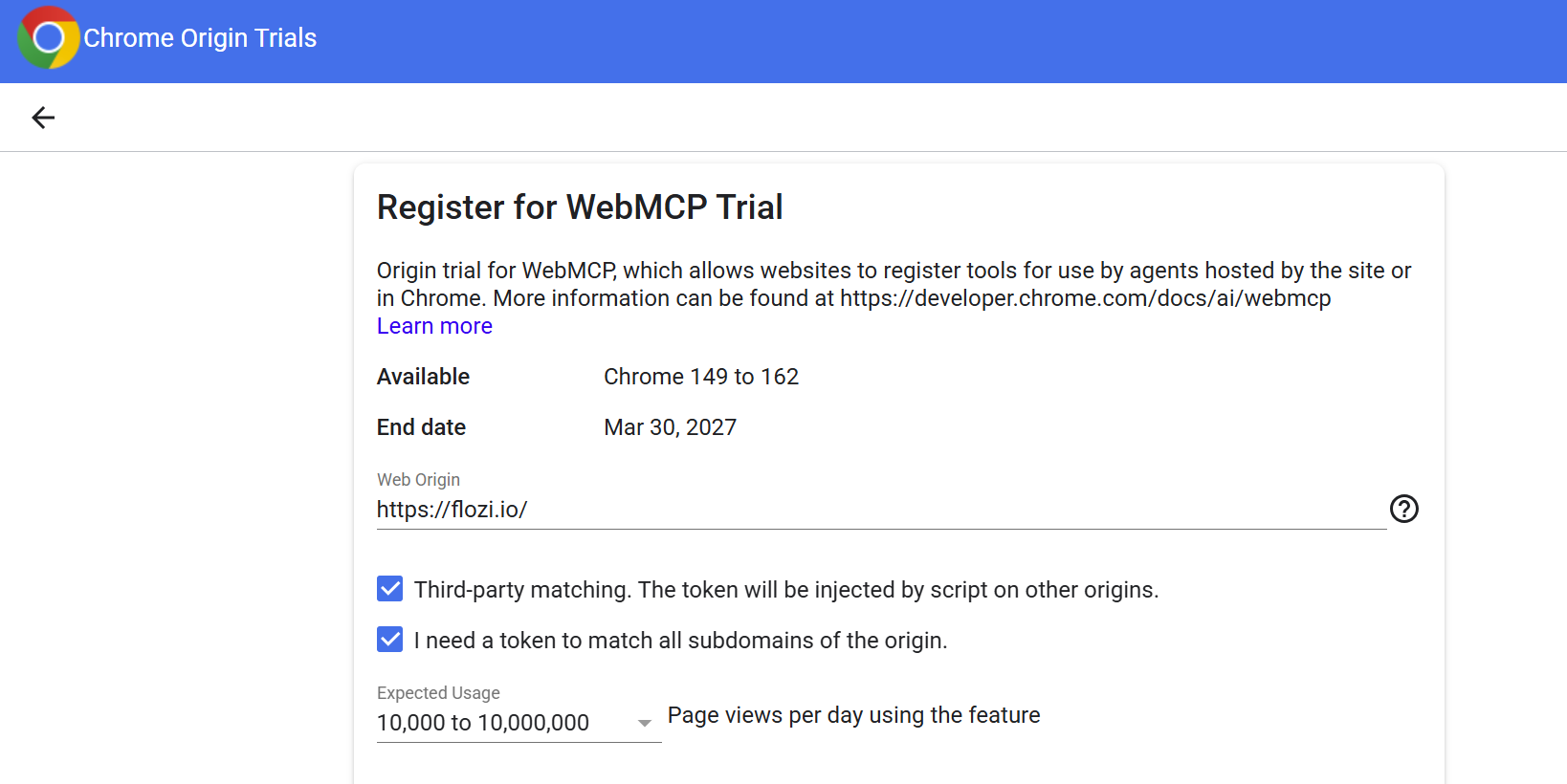
- Each origin gets its own token. Add the tokens. In Site settings → Custom code → Head code, add one meta tag per token:<meta http-equiv="origin-trial" content="YOUR_TOKEN"> Webflow can't set response headers, so the meta tag is the route.
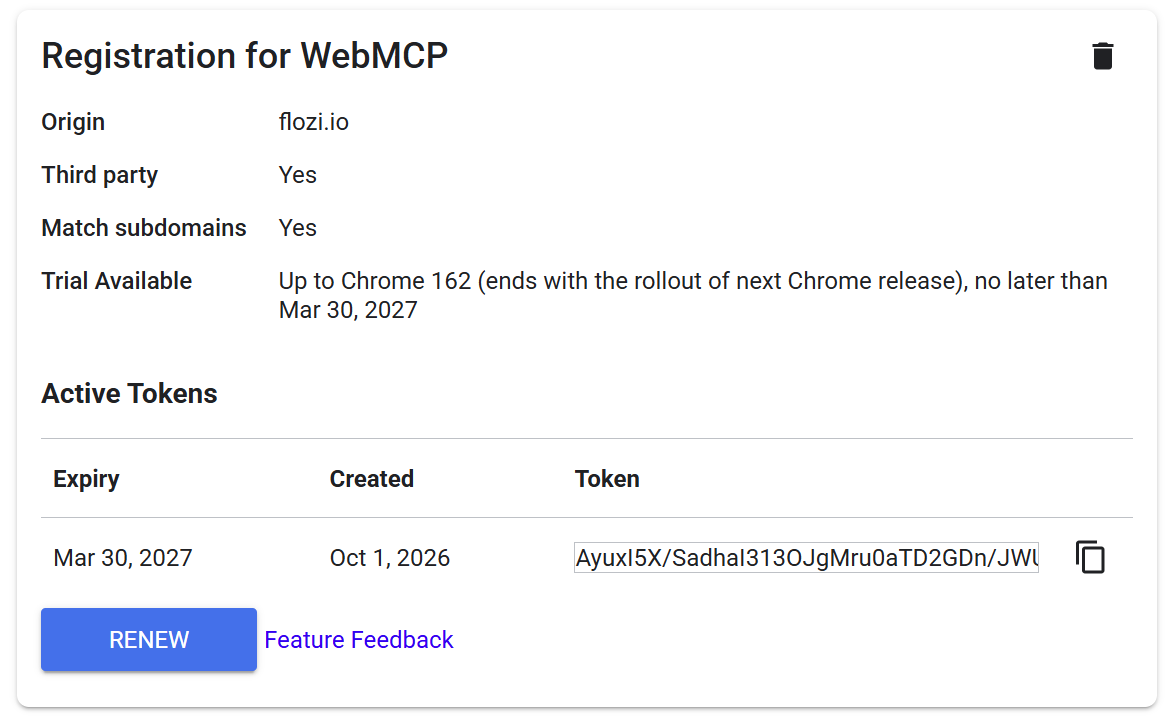
3. Add the tool. Below the meta tags, add this script. Check the form id and field names in Designer first (select an input → Settings → Name).
4. Publish. Custom code only runs on the published site, not in the Designer preview.
The if (navigator.tools?.register) check means browsers without WebMCP ignore the script, so ordinary visitors are unaffected. The API is experimental, so the exact shape of the tool definition may change during the trial.
How to test it
- Turn WebMCP on. Set chrome://flags/#enable-webmcp-testing to Enabled, then fully restart (chrome://restart).
- Open the website and use the extension .
- Open the inspector. Install the Model Context Tool Inspector and check the publisher. Open it on the page, and it should list submit_popup_form with its schema.
- Add a Gemini API key with "Update Gemini API key".
- Prompt it in plain language, with no tool name: "use example@flozi.io and apply for early access".
- Read the trace. Check that the agent picked the right tool, passed sensible inputs, got Submitted, and reported back correctly.
7. Confirm in Webflow. Check the Forms tab and delete the test entries.
What it could help with
- AI assistants submitting a popup or form without getting stuck.
- Being ready if agent-driven browsing becomes more common.
- Giving agents clearer instructions for the important actions on a site.
What it does not do
WebMCP is not an SEO or AI visibility tactic.
- It doesn't improve Google rankings.
- It doesn't make ChatGPT, Perplexity, or other AI systems mention your company.
- It doesn't replace schema or structured content.
- It doesn't create demand.
- It only helps an agent complete an action once it is already interacting with your site.
Why we're testing it anyway
The implementation is small, reversible, and low risk. We exposed one action on one form, rather than redesigning a site around a technology that may or may not become widely adopted. Removing it means deleting the script and the meta tags.
The value today isn't a result. It's understanding how agent-facing website interactions work before clients start asking about them.
How we'll know whether it matters
We'll watch for form submissions that look like they came through an agent. Until we see real usage, WebMCP remains an experiment rather than a growth result.
Websites are designed mainly for humans. Agents are starting to use those same interfaces, and they have to interpret them. WebMCP gives a site a way to describe its important actions directly. We tested that idea on a Webflow form, and the form side works. What we don't know yet is whether real users and agents will use it at any meaningful scale.
Uncover deep insights from employee feedback using advanced natural language processing.
Get your content health score across ChatGPT, Perplexity, Gemini & Claude in 60 seconds.
Blogs
.avif)