
Webflow Editor for AI-Ready Content

.avif)
Built for content‑heavy Webflow sites
Edit titles, slugs, and rich text directly in a dedicated Webflow CMS item editor. See and update every custom field - authors, categories, tags, dates -without opening Webflow Designer.
Use an AI co‑pilot to scan content and metadata, then apply improvements in one click.
How the CMS Item Editor works
Built for Structured Content

All Fields, One Screen

AI Selection Checks as You Write

How the Flozi Editor works

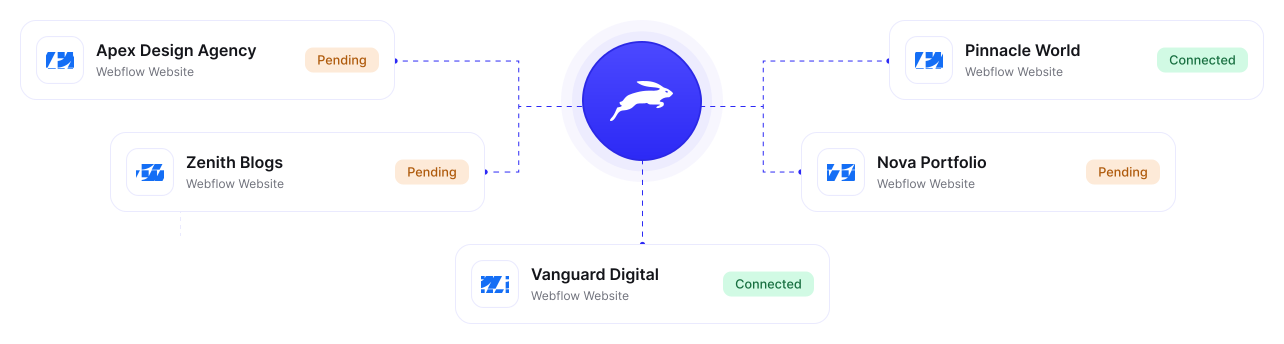
Connect multiple Webflow CMS
One website is good, but three is better. Thankfully, Flozi lets you manage all your side hustles with clarity and efficiency. All you have to do is let your creative juices flow.

“Finally - a tool that tells you why AI picks you”
The editor built around AI selection


Why teams use Flozi instead of Designer
Old Workflow
Frequently Asked Questions
Flozi webflow editor detects the content type and suggests the right schema: Article, FAQ Page, How To, Product - with a one-click apply. No manual JSON-LD required.
As you write, Flozi Analysis Tab flags the exact signals AI uses to decide who to cite - answer blocks, schema markup, heading structure, FAQ coverage, and readability. Fix them before you publish, not after you're ignored.
Flozi CMS Item Editor works with any Webflow site that uses CMS collections. If you manage content in Webflow CMS, Flozi connects to it.
Yes. Every field rich text, custom fields, references, metadata syncs directly to Webflow CMS collection on publish. Flozi also runs pre-publish validation to catch missing fields, empty alt text, and formatting issues before anything goes live.
Flozi CMS Item Editor uses a block-based canvas with slash commands so you can build structured, table support, and keeping formatting intact.
Flozi connects directly to your Webflow CMS, your site structure, design, and collections stay exactly as they are. Flozi is where your team writes, optimizes, and publishes. Webflow stays focused on design.
Webflow's editor splits your workflow, you write in one place, manage fields in another, and optimize seo/aeo with a third tool. Flozi CMS Item Editor brings all three into one screen so editors never leave mid-task.
.svg)
.svg)